Broke something, or want something? Tell us here.
Is there a way to quote a post?
1 Like
Need to adjust the email notifications for threads–something amiss and I am getting a notice for every single post for every category I have chosed to “follow.” On other forums I was able to a notification for every original post in the selected category, but not every continuing post in the thread unless I opted to “follow/watch” the thread; or, if I posted a reply in the thread. The big caveat was that after seeing for example the first 6 posts in a thread, selecting “watch,” I would receive an email for post #7… however, if in the meantime if there were 7 additional posts before I checked in, I’d only receive a notice for post #7 and not each and every post (#8, #9, 10…).
What settings do I need? There appears to be an all or nothing rule on thread notifications.
1 Like
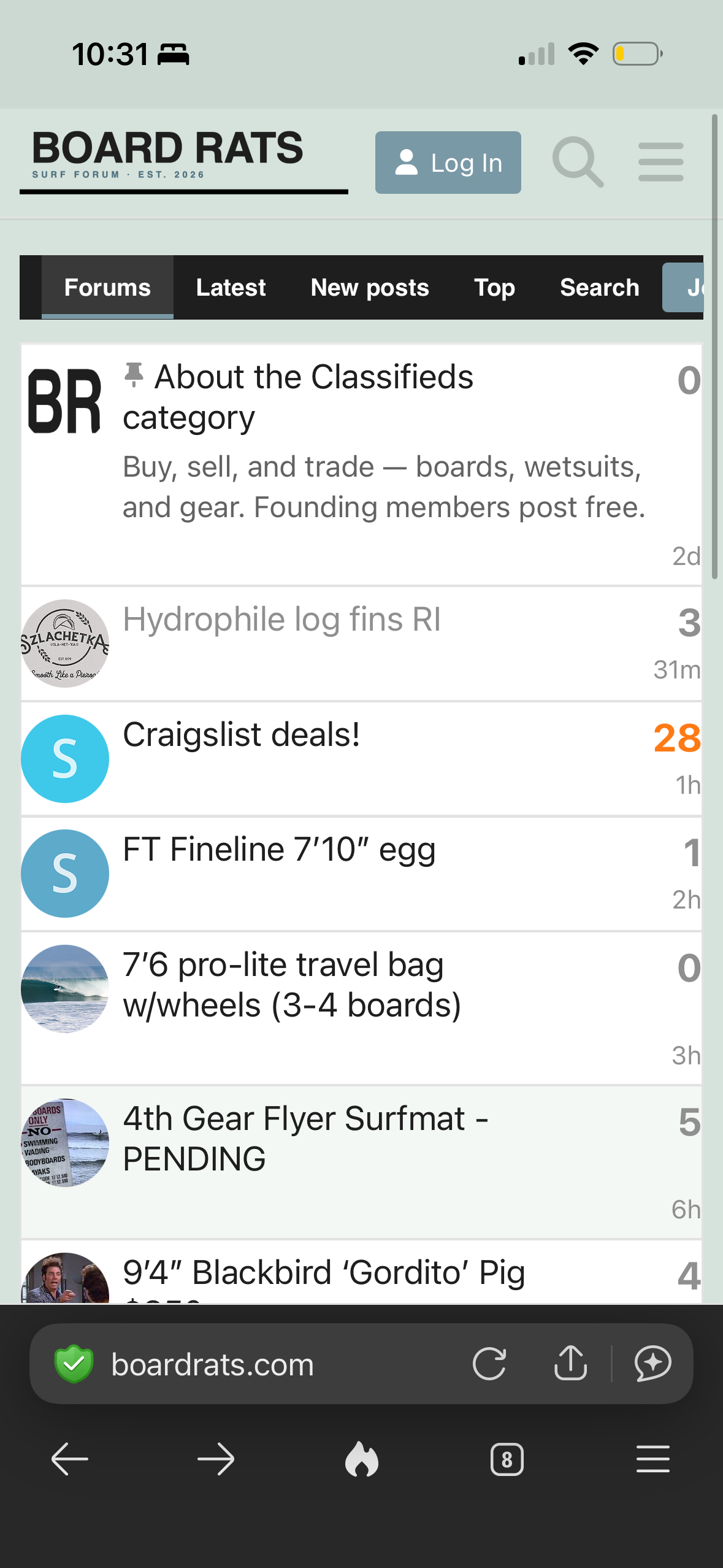
Something’s a bit wonky on mobile DuckDuckGo where the forum got squeezed and you cannot view the full panel of forum posts
1 Like
@andrew Thanks for the work to get this up and running. Great foundational structure. This is a small nit, but would be helpful for me and I suppose others…It would be great to make the contrast a bit more stark between forum topics already read and those that have new posts for our login. Could simply be adjusting the bold to be a bit more bold for categories with new content. Thanks!
good call! It’s on the list 
Amazing work getting this up and running so quickly.
On a similar thread to above, wondering if it’s possible to add an unread filter to see all topics that have been viewed/following prior that now have new posts?
Here is another forum I’m on that looks to have a similar UI where I can see all topics I’ve read/visited prior that now have new posts.
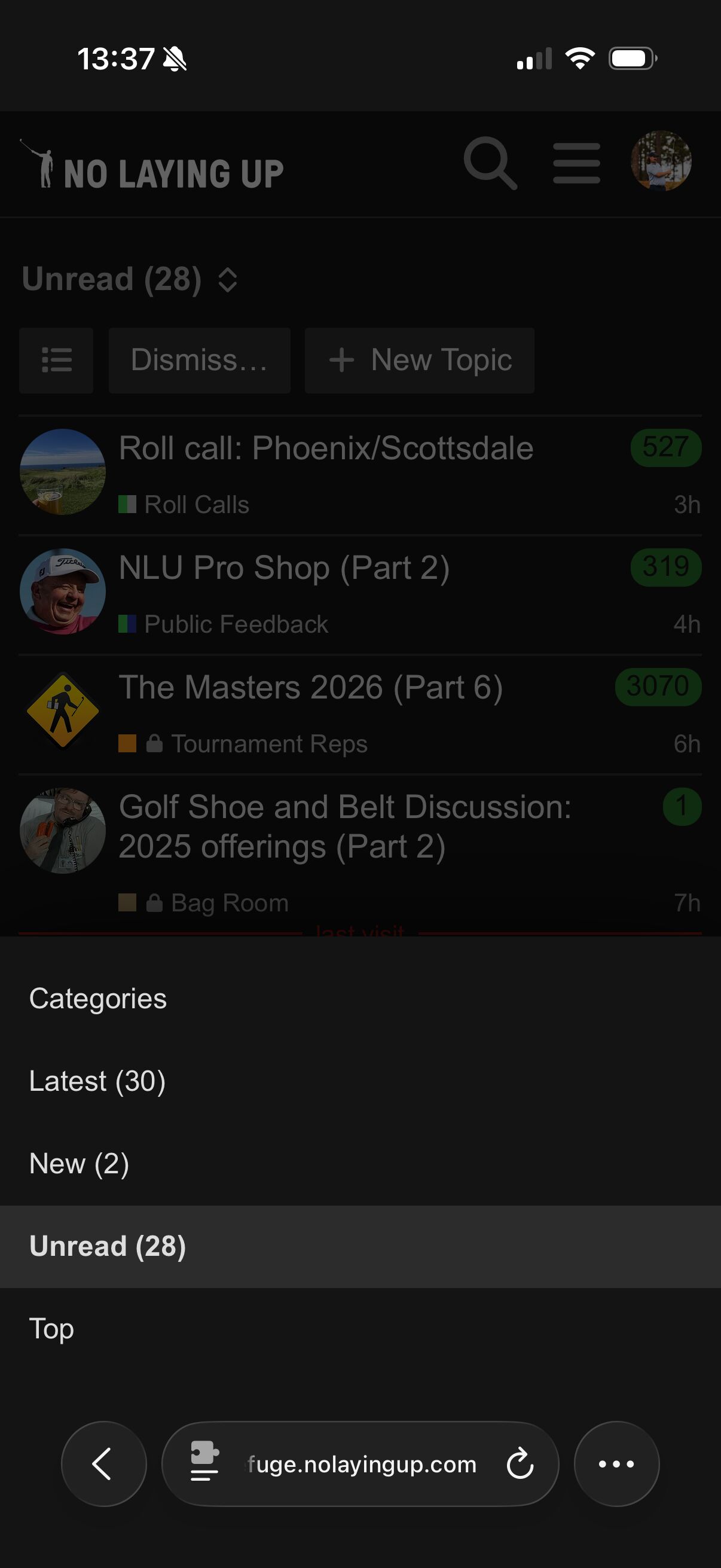
This forum also gives you the option to be notified of each new posts, “follow” topics, mute, etc. if you no longer want it in your unread.
Ability to adjust/change usernames?
Is there a way to mark all posts read? That way when coming back to latest only the latest unread posts will show.
Thanks
Great idea. There’s a new nav item called ‘unread’ that will take you straight to all the posts you haven’t read yet. You might need to hard refresh your browser, or clear your cache to load the update.
1 Like
Tuning your email notifications
Getting an email for every single post in a thread? That happens when a category is set to Watching, which pings you for every reply. Here's how to dial it back to just the new threads and the conversations you actually want to follow.
Stop the every-post emails
Switch your categories from Watching to Watching first post. You'll get an email when a new thread starts in that category, but not for every reply that follows.
- Tap your avatar (top right), then the person icon, then Preferences.
- Open Notifications -> Categories.
- Remove the categories from the Watching box.
- Add those same categories to the Watching first post box.
- Tap Save at the bottom.
Rather do it one at a time? Open a category, tap the notification bell near the top right of its topic list, and pick Watching first post.
Follow the threads you care about
For a thread you want to keep up with, open it, scroll to the bottom, tap the notification control, and choose Watching. You'll get an email for new replies --- and if a few pile up while you're away, you'll get a single email, not one for each post. Once you read the thread, the next new reply will email you again.
The notification levels, briefly
| Level | What you get |
|---|---|
| Watching | Every post --- the full firehose |
| Watching first post | Only when a new thread starts. Good setting for a whole category. |
| Tracking | No emails, just unread and new counts |
| Normal | Only when someone replies to you or mentions you |
| Muted | Nothing at all |
One thing worth knowing: you won't get buried even on a busy thread you're watching. If you step away and ten replies land, you'll get one email --- not ten. Read the thread, and the next new reply will let you know.
1 Like
Yes! Just extended the window for users to do this to 14 days (was 3 days previously). To change your username: click your avatar, click the user icon, then click preferences. You’ll see a pencil icon next to your username and you can update it there.
Yup! There’s now a “Mark as read…” button at the top of post listings
Perfect! I had wanted to change my name forever ago to something more unique/fun, thanks for that 
1 Like
Hi Andrew, thanks for making and updating this site. I was trying to edit a posting after I sold a board and wasn’t able to find how to do that. Also there was a prompt saying I couldn’t delete the posting either. Not a huge issue by any means, but could see that being a pain point for some. Thanks again!
Thanks for the feedback! I think the forum software has a default setting that prevents you from editing content after X amount of time. I’ll look into this and try to figure out the best solution to resolve.
1 Like
Thank you for your time and effort. My main ask would be pagination for threads.
2 Likes
Yeahhhh, working on this. From what I can tell, Discourse doesn’t have pagination options, but I’m digging deeper into it to see if I can build that on my end
Is the forum code on GitHub? If so, are you open to people helping?